
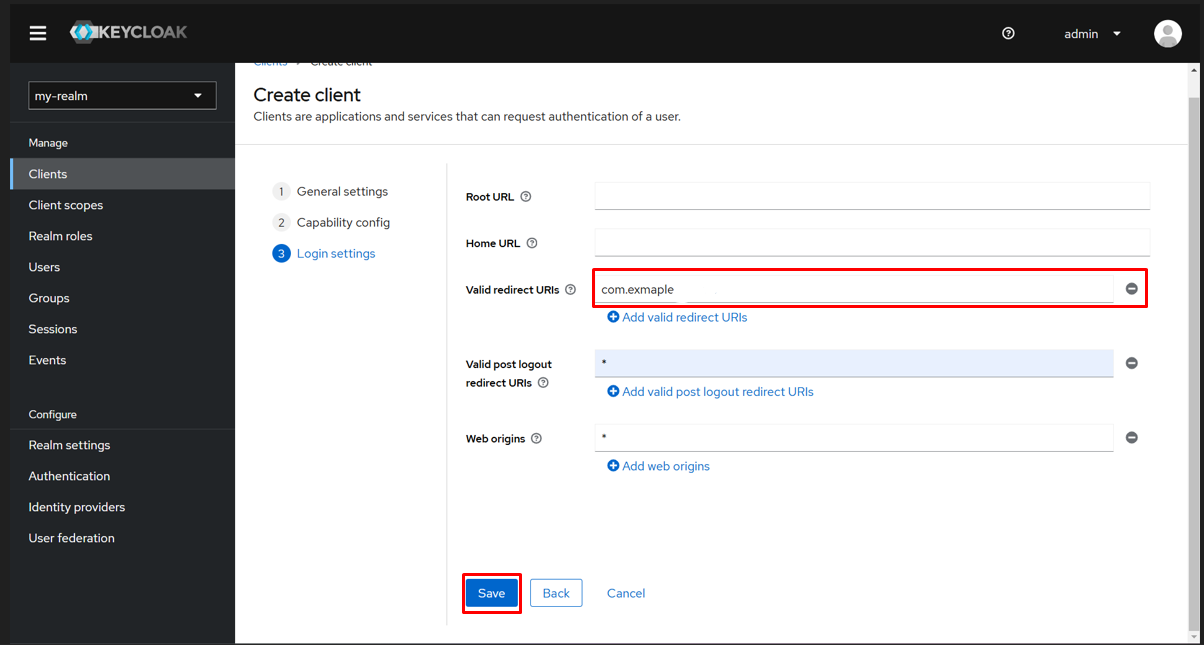
This image represents the final step in the Keycloak client creation process—setting login configurations. It shows the “Login settings” section with the “Valid redirect URIs” field populated with urn:example, a sample URI to which the client will redirect after authentication. Additional options for root URL, home URL, valid post logout redirect URIs, and web origins are also available. The “Save” button at the bottom is highlighted, signaling the conclusion of the client setup process. Proper configuration here ensures secure and expected redirection behavior for authentication flows.