
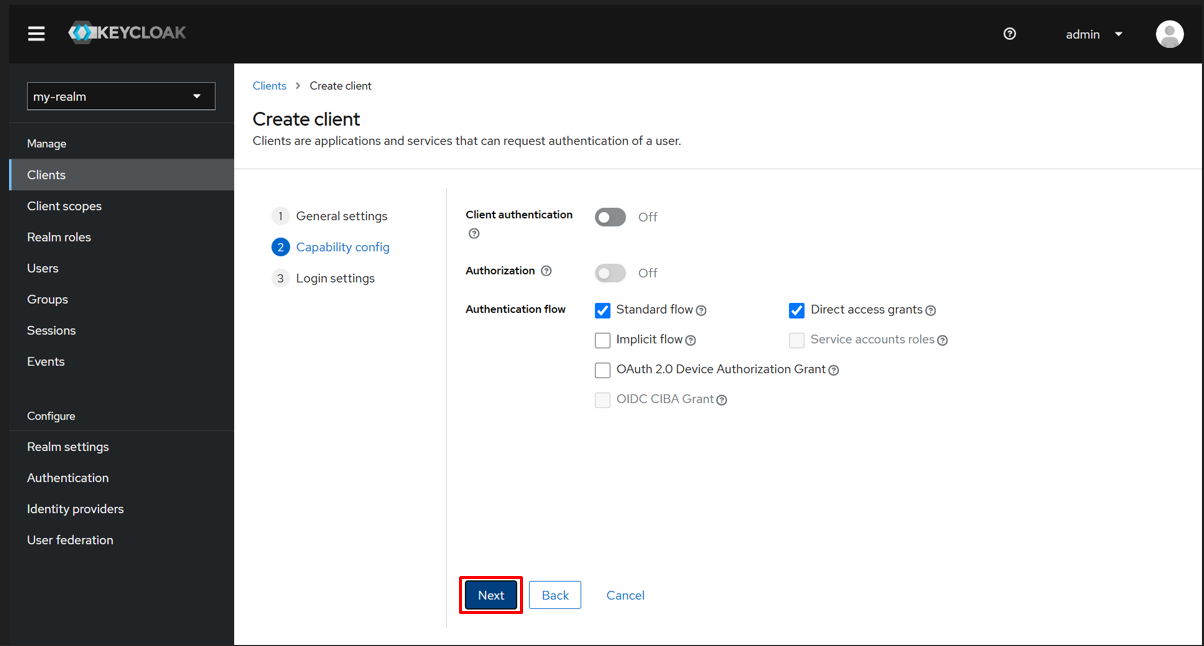
This image illustrates the second step in the Keycloak client creation process within the admin console. The “Capability config” section is active, allowing configuration of authentication and authorization settings. The Standard Flow and Direct Access Grants checkboxes are selected, while Client authentication and Authorization toggles remain off. This configuration determines how the client interacts with Keycloak for authentication. The “Next” button is highlighted, indicating readiness to proceed to the login settings configuration. Proper selection in this step ensures the client can securely perform authentication flows suited to the application’s requirements.