

Step-by-Step Guide to Using Azure Key Vault Secrets as Variables in Release Pipeline
TABLE OF CONTENTS
Share on Social Media
Related Blogs
What are Promises in JavaScript?
Read More: What are Promises in JavaScript?
Importance of Estimation in Software Development The First Step to Success
Read More: Importance of Estimation in Software Development The First Step to Success
What is API Request and Response Logger
Read More: What is API Request and Response Logger
Why Choose Cross-Platform Mobile App Development? Which Technology Is The Best?
Read More: Why Choose Cross-Platform Mobile App Development? Which Technology Is The Best?
Azure Key Vault is a powerful service provided by Microsoft Azure that allows you to securely store and manage sensitive information such as API keys, passwords, and connection strings. Azure Pipelines, on the other hand, is a versatile CD platform offered by Azure. By integrating Azure Key Vault secrets into Azure Release Pipelines, you can enhance the security of your CD processes and ensure that sensitive information is protected.
In this blog post, we will guide you through the process of leveraging Azure Key Vault secrets in Azure Release Pipelines, enabling you to securely retrieve and use them in your CD workflows.
Prerequisites
1. Azure Subscription.
2. Azure DevOps Organization
Setting up Azure Key Vault
Create an Azure Key Vault in the Azure Portal
a. From azure portal in search Box type Key Vault
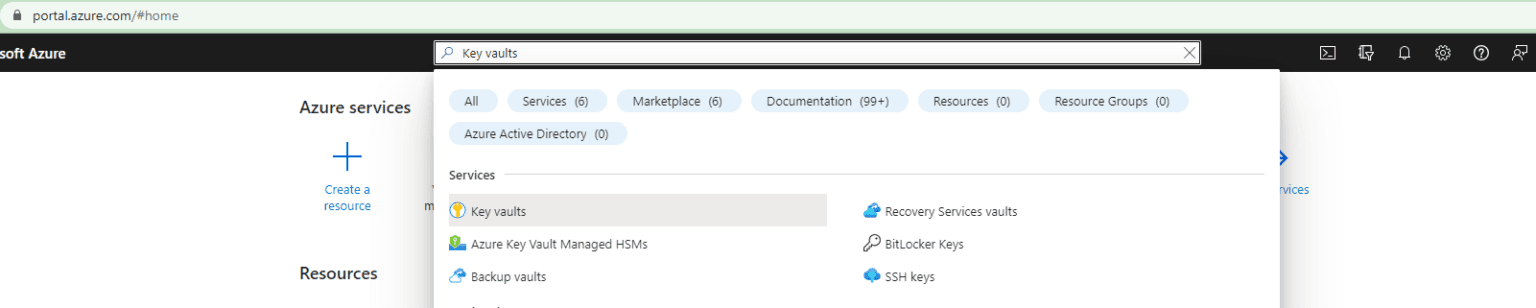
b. On the Key Vault Section Click on Create.

c. Now, create a Key Vault Resource by filling all required fields.
d. After complete creation process click on Key vault resource which one create recently and it’s look like as below screenshot
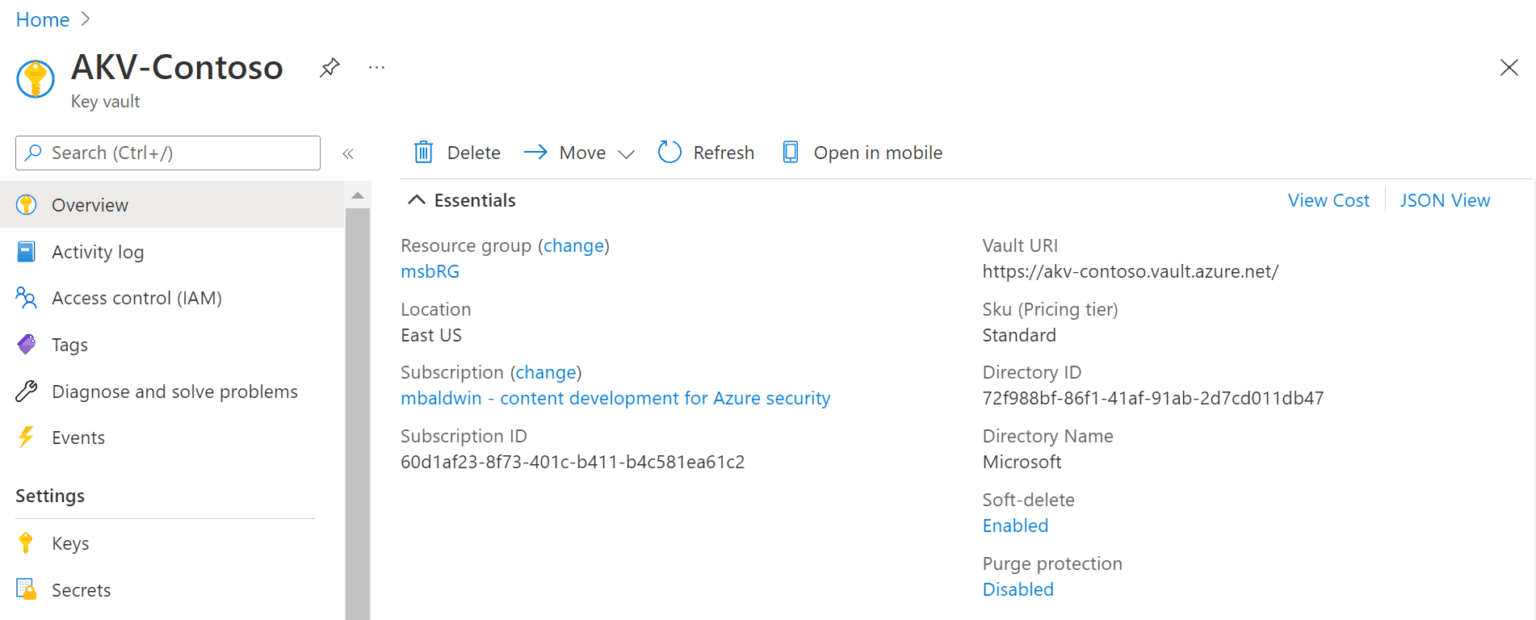
Add a secret in the key vault
a. Add Secret in the key vault
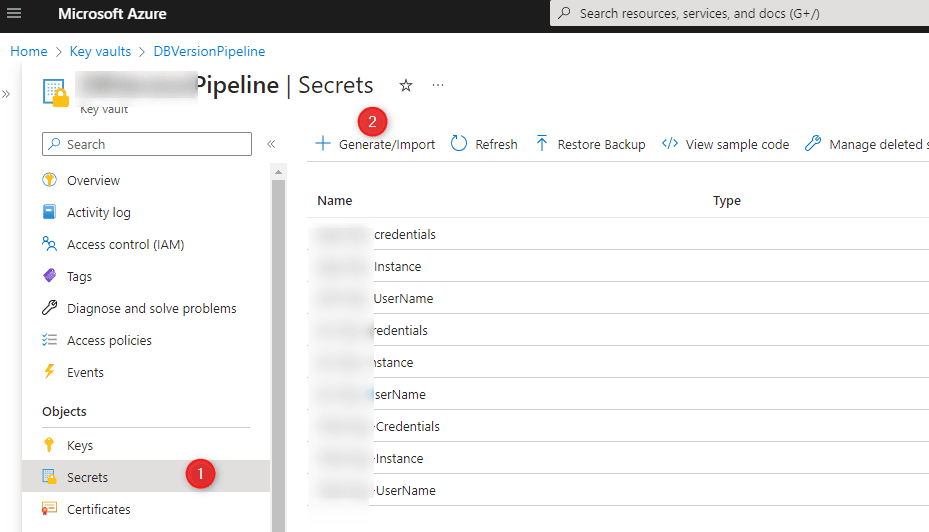
b. Click on the Secrets option in the left side menu panel
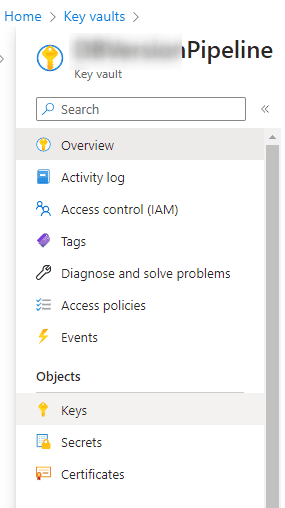
c. Click on the Generate button at top left to generate new secret and provide necessary information.
Create Azure Service Connection in DevOps
Setting up Service Connection in Azure Pipeline
a. Open the DevOps Organization in which you want to grab secrets.
b. Now open Project Settings > Pipelines > Service Connections.
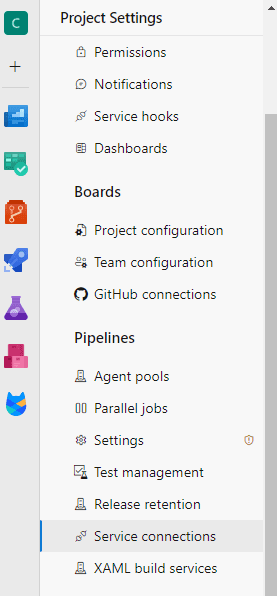
c. Click on New service connection at top right side of page
d. Select Azure Resource Manager > Next
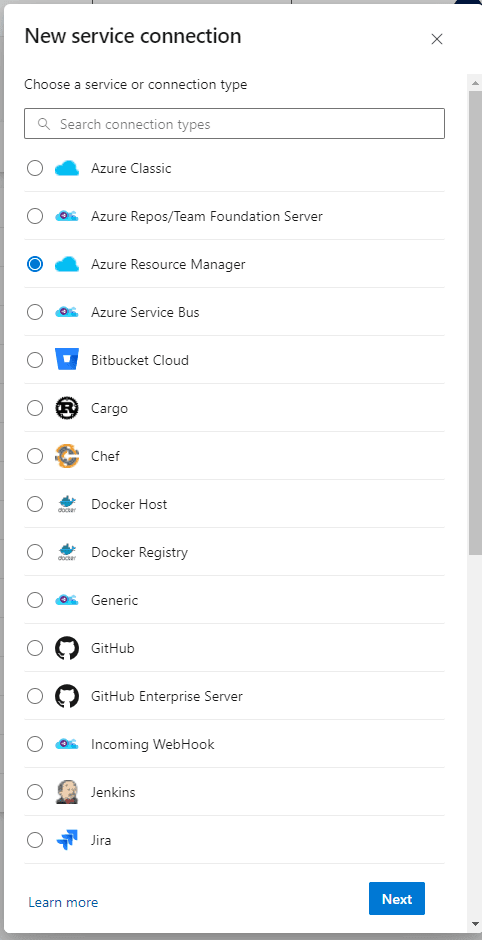
e. Provide the following parameters and create connections.
- Subscription
- Resource Group
- Connection Name
Linking Service Connection to the key vault (give security Permission)
a. Open the Azure Portal and move towards your Key Vault
b. In the left menu, click on Access Policies
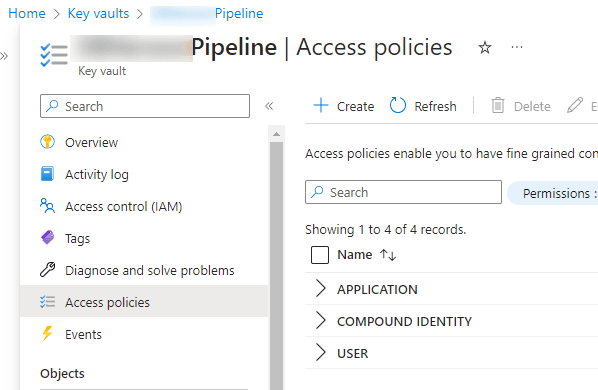
c. click on Create to create Access Policy
d. In Configuration from template select Secret Management
e. Grant Permission for Get & List from Permission section click next button
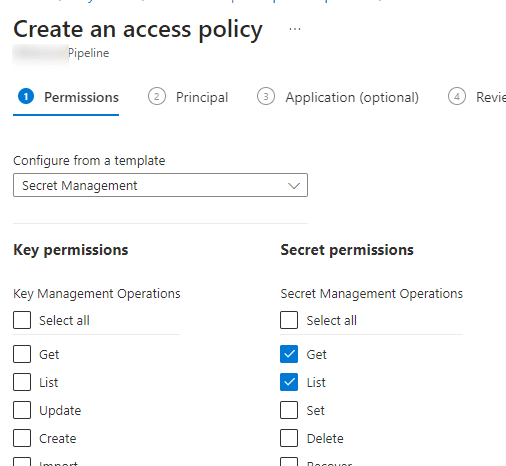
f. Now select Application for your Azure DevOps Subscription and complete process.
g. Retrieve key vault value in Azure Release Pipeline Variable (see the next section)
Retrieve key vault value in Azure Release Pipeline Variable
Create a Variable Group In Library and Add Variables from Key Vault.
a. Go to the project in DevOps > Pipelines > Library
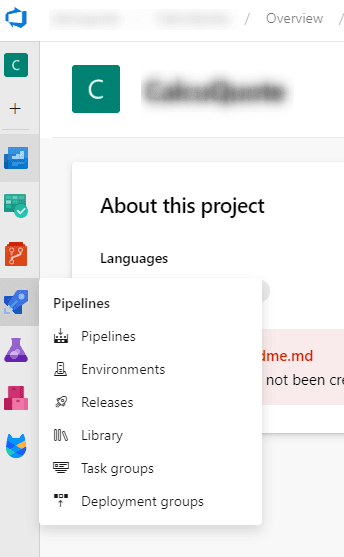
b. Create Variable Group
- Provide Variable Group Name & description
- Turn on Radio button of “Link secrets from an Azure key vault as variable” (bubble point 1 in below image)
c. Provide necessary information about Azure Subscription & Key Vault Name
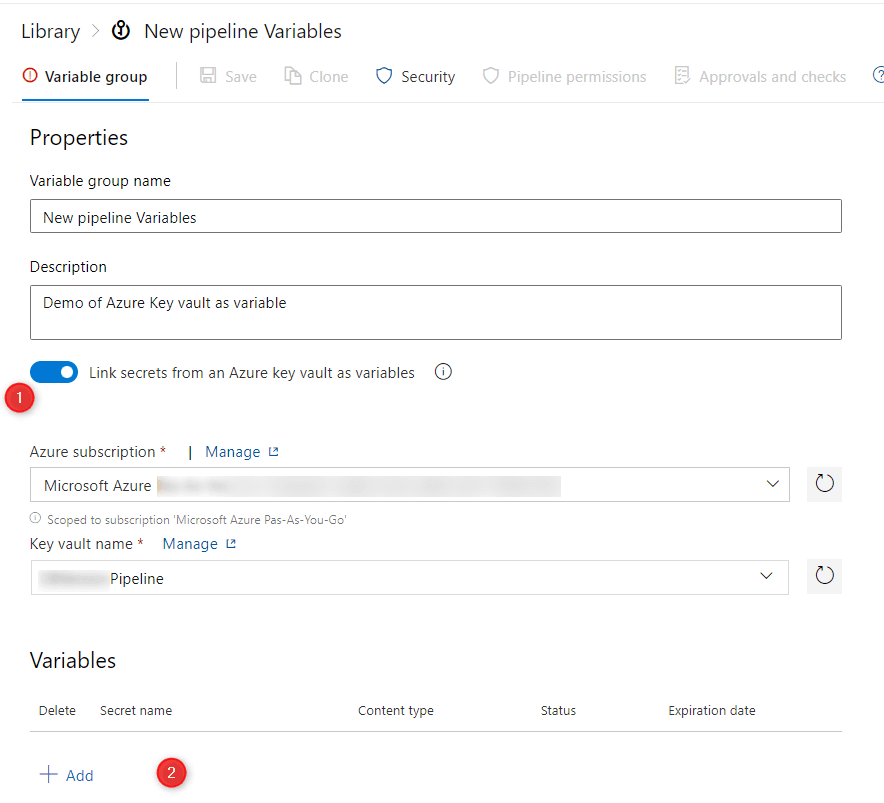
d. Click on Add at bottom to add secrets as variables (bubble point 2 in the above image).
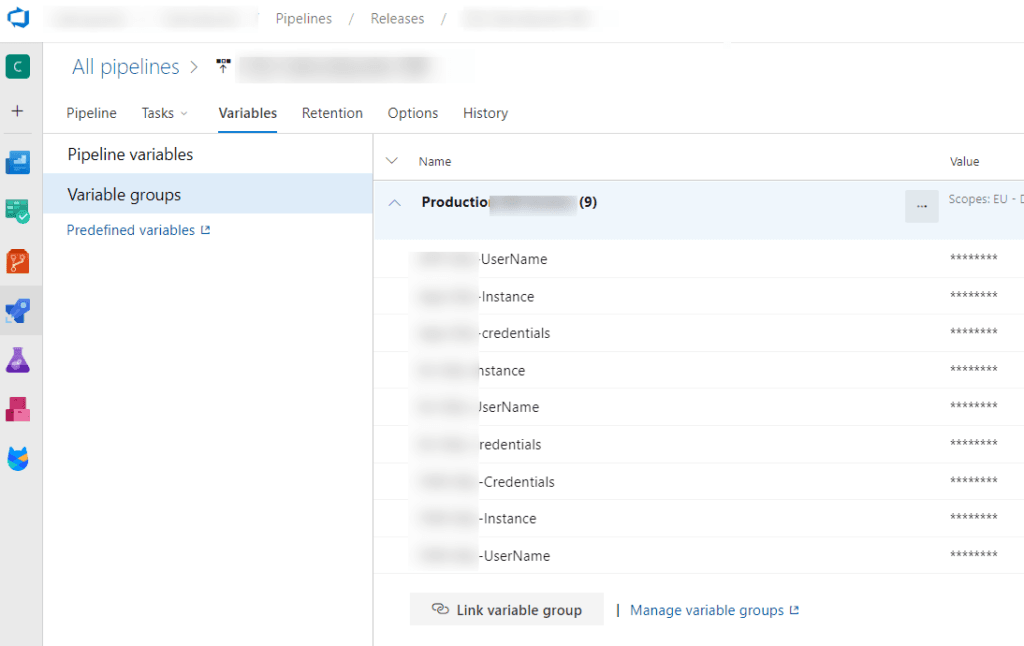
e. Now you can use this variable in your release pipeline to replace value in config or appsetting file during deployment.
Conclusion
Integrating Azure Key Vault secrets into Azure Release Pipelines provides a secure and convenient way to manage sensitive information during your CD processes. By following the step-by-step instructions outlined in this blog post, you can leverage the capabilities of Azure Key Vault to safeguard your secrets and avoid exposing them in your pipeline configurations or source code. With this approach, you can enhance the overall security posture of your applications and ensure the confidentiality of critical information.
Share on Social Media
Related Blogs
Accelerate ReactJS Deployment: A Quick Guide to Azure DevOps Pipeline
Read More: Accelerate ReactJS Deployment: A Quick Guide to Azure DevOps Pipeline
How to create and deploy Python API in Docker?
Read More: How to create and deploy Python API in Docker?
How to do Playwright End to End Testing?
Read More: How to do Playwright End to End Testing?
What is Artificial Neural Network (ANN)?
Read More: What is Artificial Neural Network (ANN)?Stay ahead of the curve
Get the latest insights, tutorials, and industry news delivered straight to your
inbox. Join 10,000+ developers and tech leaders.