
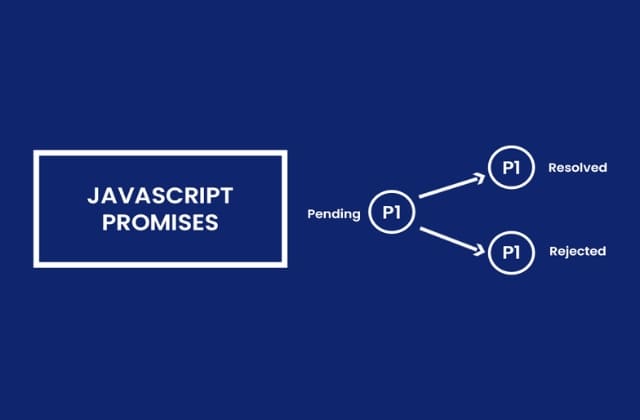
What are Promises in JavaScript?
TABLE OF CONTENTS
Share on Social Media
Related Blogs

A Guide to Built-in Scripting for Advanced Postman Automation API Testing
Read More: A Guide to Built-in Scripting for Advanced Postman Automation API Testing
Enhancing AI Capabilities with RAG in Node.js:A Step-by-Step Tutorial
Read More: Enhancing AI Capabilities with RAG in Node.js:A Step-by-Step Tutorial
Top 10 Cyber Security for SaaS Applications Practices: A Guide for 2025
Read More: Top 10 Cyber Security for SaaS Applications Practices: A Guide for 2025
Importance of Estimation in Software Development The First Step to Success
Read More: Importance of Estimation in Software Development The First Step to Success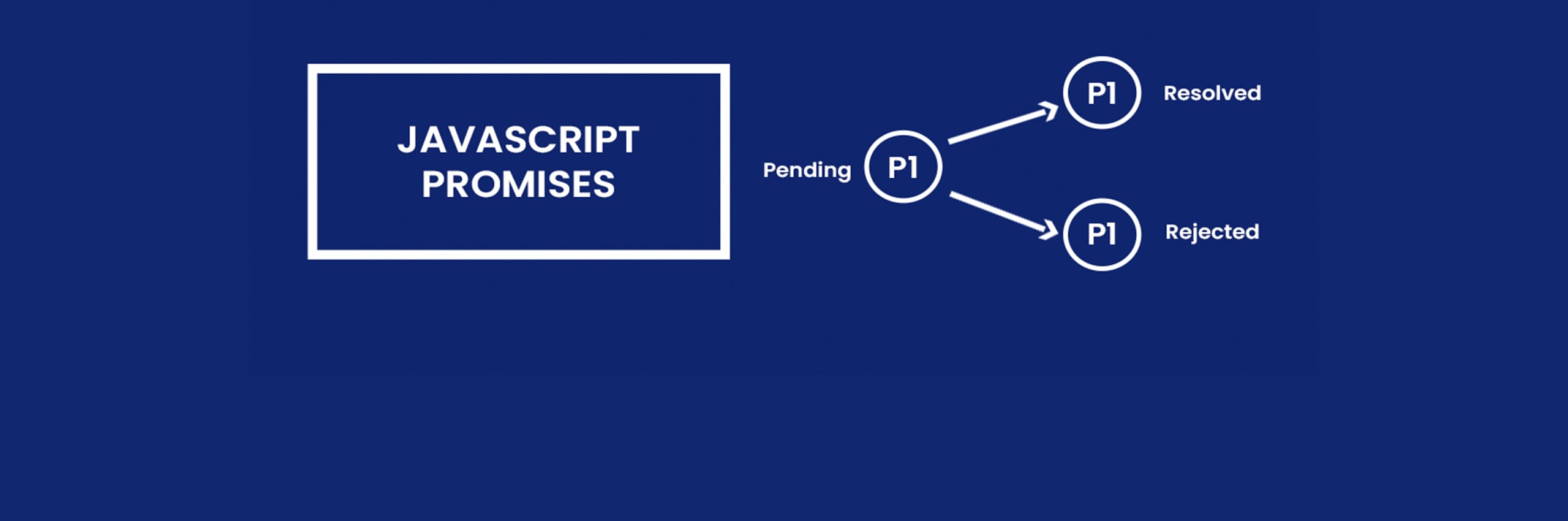
What is Promise?
If I promise you that you will never forget the concept of promise after reading this article, then it has 3 possibilities. ‘Fulfilled’ (If the concept is clear then my promise is fulfilled), ‘Rejected’ (If the concept is not clear then it will be rejected), and ‘Pending’ (by the time you read this article and till the state you reach that, either it is fulfilled or rejected it is in pending state).
JavaScript promises have the same concept. If your business logic is in progress, then it is in ‘Pending’ state, once it is ‘Fulfilled’, then you can resolve it and if any error occurs or your expectation is not met then you can ‘Reject’ that promise.
Why to use Promise?
Promise is used to handle asynchronous operations. It is used to find out whether your asynchronous operation is successfully completed or not.
What Promise object contains?
As described above promise has three states:
- Pending: Initial state, neither fulfilled nor rejected
- When the value is undefined.
- Fulfilled: Operation is completed successfully
- When it has a result value.
- Rejected: Operation is failed
- When it is an error object/ rejected information.
Syntax for a Promise
let promise = new Promise(function (resolve, reject) {
      // executor
});
The function passed to the new Promise is called the executor. When a new Promise is created, the executor runs automatically. It contains the producing code which should eventually produce the result.
Promise has two arguments, resolve and reject. It is a callback function provided by javascript itself. And our code is inside the executor.
When executor gets the result, it should call one of the callbacks:
- resolve(value): If process completed successfully then use resolve with result value
- reject(error): If an error occurred or expected result not received then use reject with error object.
So, the executor eventually moves the promise to one of these states.
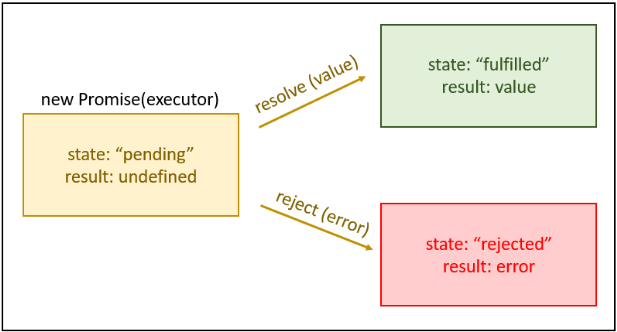
Javascript promise object contains producing code and calls to consuming code.
let promise = new Promise(function (resolve, reject) {
  // "Producing Code" (May take some time)
  resolve(); // when successful
  reject(); // when error
});
// "Consuming Code" (Must wait for a fulfilled Promise)
promise.then(
  function (value) {
    /* code if successful */
  },
  function (error) {
    /* code if some error */
  }
);
Example
let promise = new Promise(function (resolve, reject) {
      let req = new XMLHttpRequest();
      req.open("GET", "image.png");
      req.onload = function () {
        if (req.status == 200) {
          resolve(req.response);
        } else {
          reject("File not Found");
        }
      };
      req.send();
    });
    promise.then(
      function (value) {
        displayImage(value);
      },
      function (error) {
        showErrorMessage(error);
      }
    );
    function displayImage(src) {
      // Code to display image
    }
    function showErrorMessage(error) {
      // Code to show error message
    }
Promise Chaining
If you have more than one asynchronous task then you can use promise chaining. You perform operations using methods then(), catch() and finally().
then() method
A then() method is used with callback when promise is resolved.
promise
.then(resolvedFunctionA, rejectFunctionA)
.then(resolvedFunctionB, rejectFunctionB)
.then(resolvedFunctionC, rejectFunctionC);
Example
let promise = new Promise(function (resolve, reject) {
      resolve("Promise resolved");
    });
    // executes when promise is resolved successfully
    promise
      .then(function successFunction1(result) {
        console.log(result);
      })
      .then(function successFunction2() {
        console.log("You can call multiple functions this way.");
      });
catch() method
A catch() method is used with the callback when a promise is rejected or any error occurs.
Example
let promise = new Promise(function (resolve, reject) {
        reject('Promise rejected');
      });
      // executes when promise is resolved successfully
      promise.then(
        function successFunction(result) {
            console.log(result);
        },
      )
      // executes if there is an error
      .catch(
        function errorFunction(result) {
            console.log(result);
        }
      );
finally() method
A finally() method is used after a promise either resolved or rejected.
Example
promise
      .then(function successFunction(result) {
        console.log(result);
      })
      // executes if there is an error
     .catch(function errorFunction(result) {
        console.log(result);
      })
      .finally(function finalFunction() {
            console.log('This code after resolved, rejected or catch.');
        }
    );;
Get the expert advice to grow your business digitally
Book a free consultationThere are various methods available to the Promise object.
| Method | Description |
|---|---|
| Promise.all() | Waits for all promises to be fulfilled or any one to be rejected |
| Promise.allSettled() | Waits until all promises are either resolved or rejected |
| Promise.any() | Return immediately if any promises is resolved or rejected |
| Promise.reject() | Return a promise object that is rejected for any reason |
| Promise.resolve() | Returns a promise object that is resolved with any value |
| Promise.prototype.catch() | Appends the rejection handler callback |
| Promise.prototype.then() | Appends the resolved handler callback |
| Promise.prototype.finally() | Appends a handler to the promise |
Difference between Promise and Callback
JavaScript Promise
- The syntax is user-friendly and easy to read.
- Error handling is easier to manage.
Example
api()
 .then(function (result) {
  return api2();
  })
  .then(function (result2) {
  return api3();
  })
 .then(function (result3) {
 // do work
 })
 .catch(function (error) {
 //handle any error that may occur before this point
 })
 .finally(function finalFunction() {
 //code to execute after all event completed either resolved or rejected
 });
JavaScript Callback
- The syntax is difficult to understand.
- Error handling may be hard to manage.
api(function (result) {
  api2(function (result2) {
    api3(function (result3) {
      // do work
      if (error) {
        // do something
      } else {
        // do something
      }
    });
  });
});
I hope that you found this blog useful. To learn more, check out our blog 5 Useful JavaScript tips and tricks and best practices.
Share on Social Media
Related Blogs
Understanding Async and Await in C# Programming : A Simplified Guide to Asynchronous Programming in C#
Read More: Understanding Async and Await in C# Programming : A Simplified Guide to Asynchronous Programming in C#
Overview of MySQL Analytical Functions
Read More: Overview of MySQL Analytical FunctionsTop 10 Cyber Security for SaaS Applications Practices: A Guide for 2025
Read More: Top 10 Cyber Security for SaaS Applications Practices: A Guide for 2025
Why data structures and algorithms are important for programming?
Read More: Why data structures and algorithms are important for programming?Stay ahead of the curve
Get the latest insights, tutorials, and industry news delivered straight to your
inbox. Join 10,000+ developers and tech leaders.