

Tutorial: Build & Share A Custom React Component Library to Node Package Manager (NPM)
TABLE OF CONTENTS
Share on Social Media
Related Blogs
Mastering Azure Function Triggers: A Complete Guide with Real-World Examples
Read More: Mastering Azure Function Triggers: A Complete Guide with Real-World Examples
How to Start with Enterprise Mobile and IOT Strategy
Read More: How to Start with Enterprise Mobile and IOT Strategy
How to implement Scatter Gather In Masstransit C#
Read More: How to implement Scatter Gather In Masstransit C#
All About Docker file and Docker Compose: The Ultimate Guide for Developers
Read More: All About Docker file and Docker Compose: The Ultimate Guide for Developers
Why do we need to create it?
- I’ve noticed that some of my own custom components I use in different projects. Up until now, I’ve used the copy-paste method” to share these components between projects. But now I think I’m old enough to publish my own components to npm and then import them into my projects.
- Reusable of this component with different different projects and reduce copy and paste work.
e.g. Basic Use Case Example let’s assume we have two different projects and we use the same component in both projects.
Here we have two different projects like project 1 and project 2 and they both project the same library as grid component library so here we have to manage two different libraries for 2 different projects which is very difficult to manage in both projects at the same time.
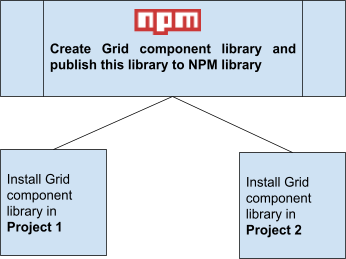
To overcome this type of problem we can create one npm component library and we can use that library in both projects.
Here we create one npm grid component library and that library publishes to npm library. Now we install that library into our project project 1 and project 2 and if we want to update and manage just one library we need to manage.
Get practical guidance on structuring complex SQL queries
Book a free consultation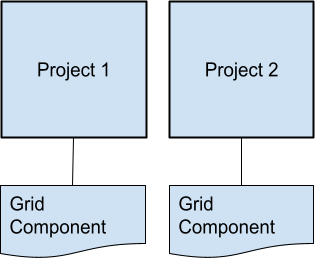
2. What is create-react -library?
- It’s CLI(command line interface) for creating reusable, modern React libraries using create-react-library.
- E.g. When we use create-react-app at times it’s given ready to use application structure for react application. For the same way using create-react-library gives ready to use structure for creating react-library and publish to npm.
3. What is create-react -library?
- Installed node and npm.
- Npm account (if not then sign up here: https://www.npmjs.com/signup).
- Public git repo.
- First of all, you need to come up with the name of your package and make sure that it’s available. Go to https://www.npmjs.com/ and check it through the search bar.
4. How to Create a React custom package library and publish it into npm?
Step: 1
Login to NPM via CLI (How can we Login with NPM CLI?)
npm install -g npm-cli-login
npm-cli-login -u username -p PASSWORD -e email
Step: 2
Open your terminal, go to the directory, where you are going to create your package and enter the following command.
npx create-react-library 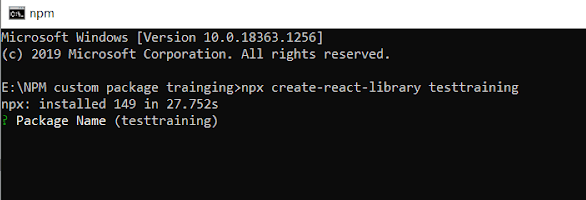
After entering the above command, it will ask some questions about your package, provide details.
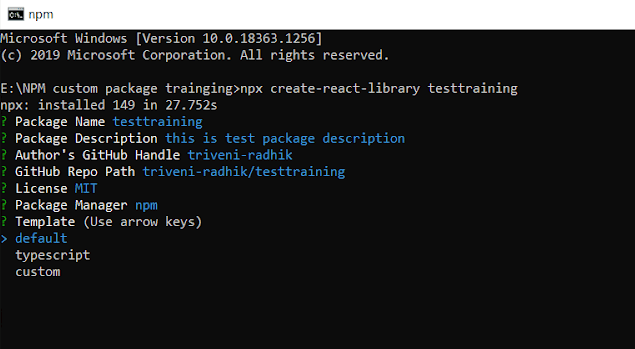
Step: 3
After follow above two step in that directory below files are created and sample demo component.
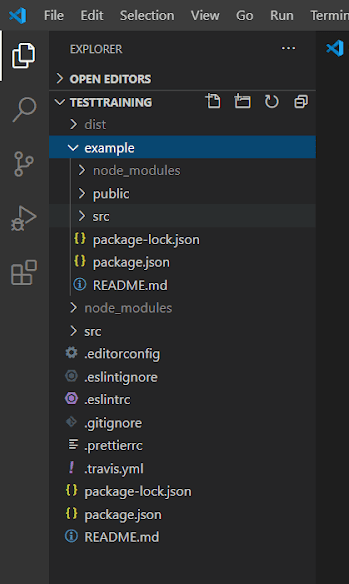
Step: 4
After successfully creating library project, enter the below command for starting library project.
cd && npm start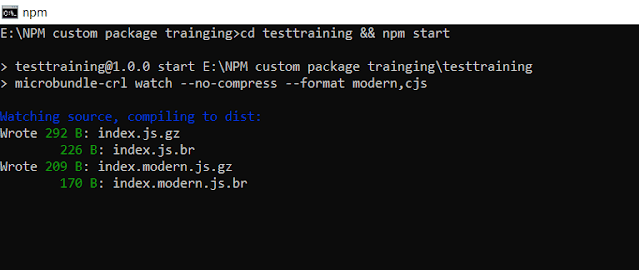
Step: 5
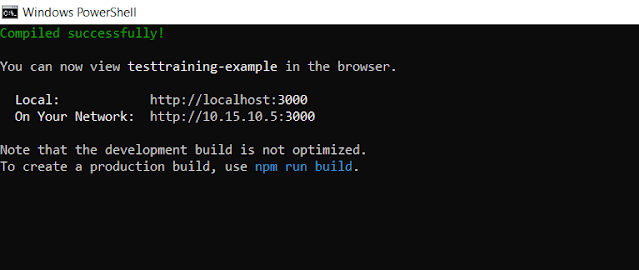
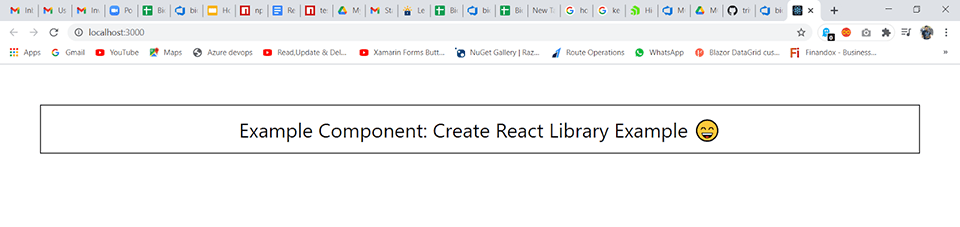
cd example && npm startfor starting example project which have used our created library.
Step: 6
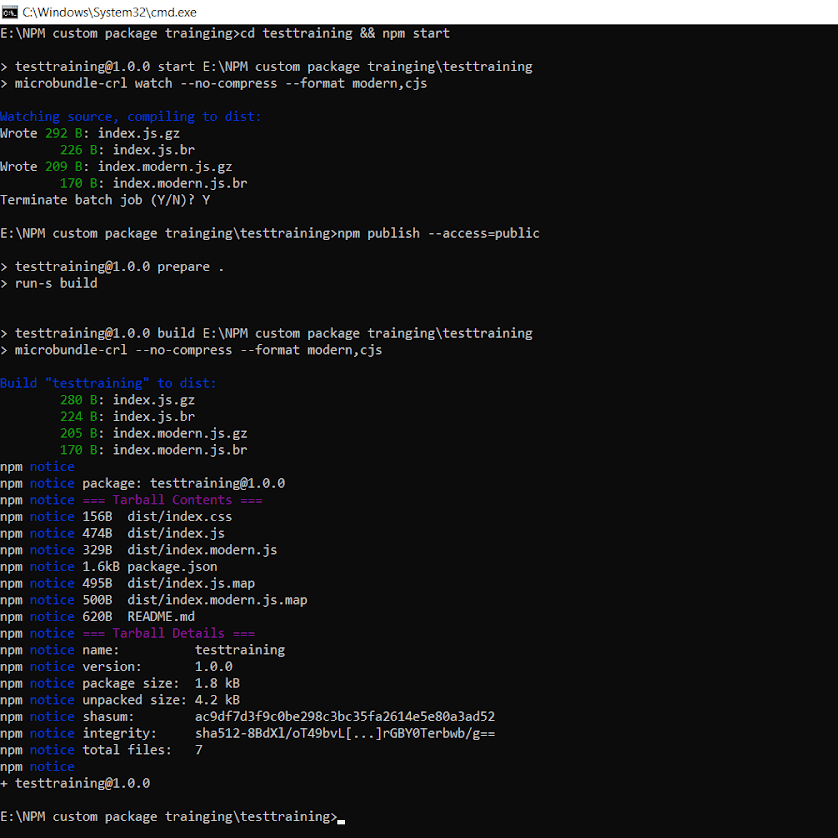
For publishing library enter below command
npm publish --access=publicScopes and package visibility
There are two types of libraries: public and private. public library called Unscoped packages and private library called scoped library. For publishing a scoped package you must have a paid version of npm account or organisation account.
- Unscoped packages are always public.
- Private packages are always scoped.
- Scoped packages are private by default; you must pass a command-line flag when publishing to make them public.
After hitting the above command if your package successfully published then the below screen is visible.
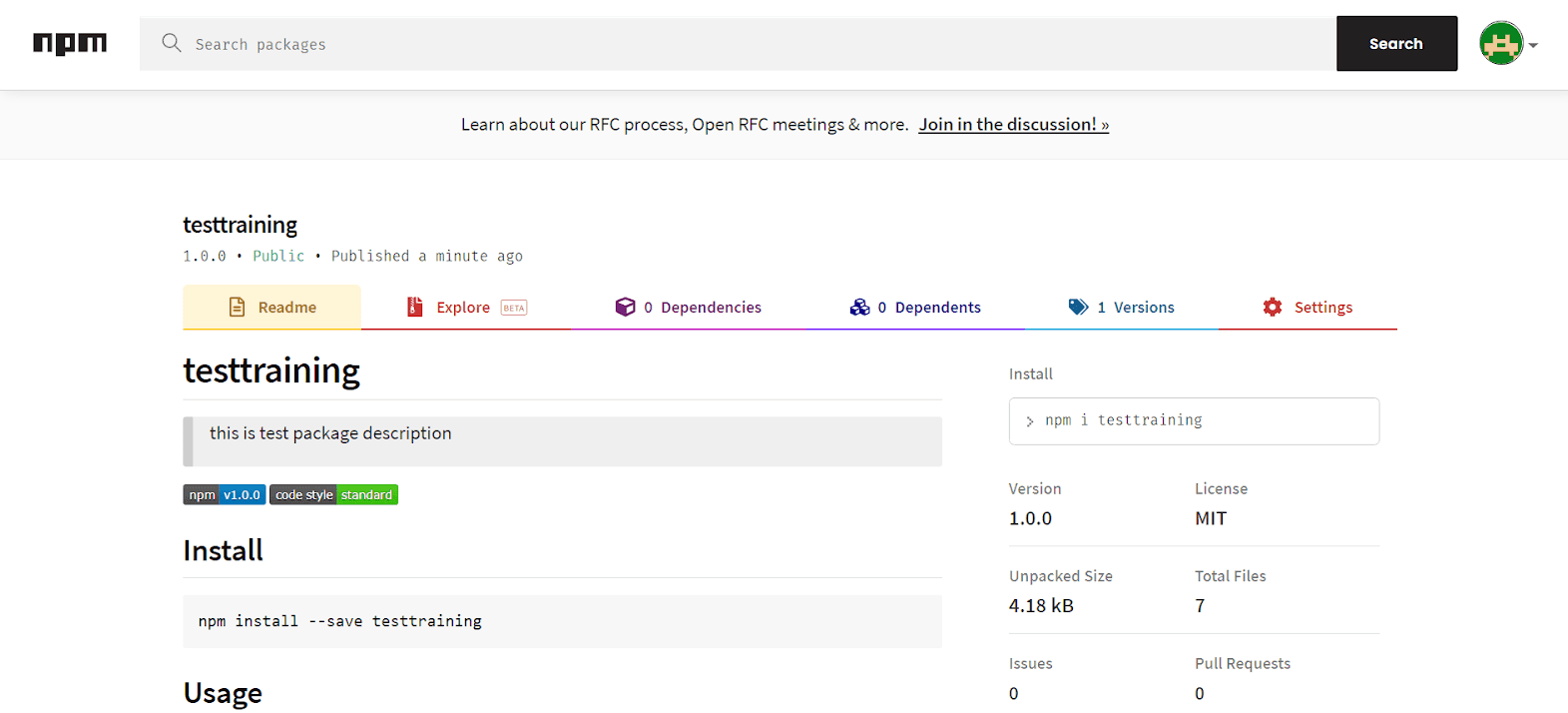
For cross verification you can also check on the npm website by searching your package.
How can we implement it in other projects?
- Step : 1 Install package in your project e.g. npm install –save.
- Step : 2 Import package in component in which you want to use.
- Step : 3 import css file from package.
Some Important Points
- To publish a package as private for that we need a Paid account or organization account.
- For public packages we can set additional authentication methods that add another level of security for your package.
- For Update the package version change version in package.json file and again publish package.
- If you find any error like 403 forbidden then check your package name, make sure your npm email verification is done, your npm login via CLI is done, check package version..
Share on Social Media
Related Blogs

Understanding React Portals (createPortal) -Use Cases, Advantages, and Limitations
Read More: Understanding React Portals (createPortal) -Use Cases, Advantages, and Limitations
Unlocking Business Success Online: Why Businesses Need The Best Digital Marketing Services in 2024
Read More: Unlocking Business Success Online: Why Businesses Need The Best Digital Marketing Services in 2024
What is API Request and Response Logger
Read More: What is API Request and Response Logger
Basics of NLP : Zero to One
Read More: Basics of NLP : Zero to OneStay ahead of the curve
Get the latest insights, tutorials, and industry news delivered straight to your
inbox. Join 10,000+ developers and tech leaders.