

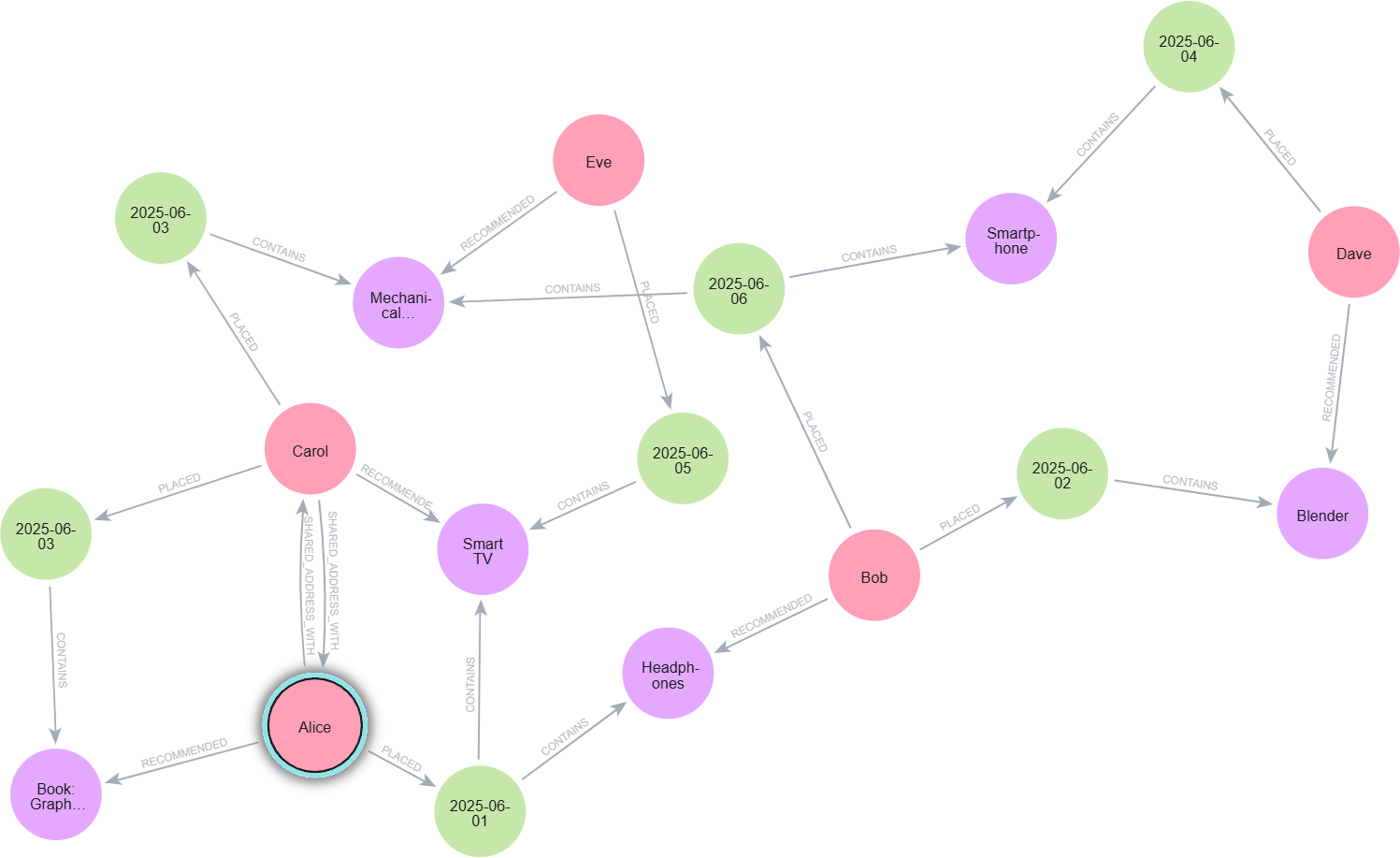
You are already familiar with tables, rows, JOINs, and foreign keys if you have worked with relational databases like MySQL, PostgreSQL, or SQL Server. However, what occurs when your data becomes extremely interconnected, such as:
- Customers purchasing multiple items and users following one another
- Accounts connected by fraud networks
- Dependencies in the supply chain
- Instantaneous suggestions
- Graph databases excel in this situation.
The most widely used property Graph Database.
Neo4j, is made for deep relationship queries, quick graph traversal, and patterns that SQL finds difficult to handle, a property graph model database.
This blog, which compares syntax, structure, and queries side by side, was created especially for SQL developers moving to Neo4j. You’ll also learn about Cypher, Neo4j’s declarative graph query language, and how SQL concepts translate into the graph world.
We’ll also naturally touch keywords like:
sql to neo4j, neo4j for sql developers, graph database vs sql, cypher match query, sql join vs neo4j relationship, and more.
Why Graph Databases? (Graph Database vs SQL)
Relational databases excel at structured, tabular data.
But when your domain is about relationships, SQL JOINs quickly become slow and complicated
Graph databases, especially Neo4j, offer:
- Index-free adjacency
- Faster relationship queries
- Pattern matching with Cypher
- Natural modeling of real-world entities
Neo4j is ACID compliant, supports large-scale graph traversal, and uses the property graph model of nodes, relationships, and properties.
1. Creating / Inserting Data (SQL → Neo4j)
In SQL, you insert rows into tables.
In Neo4j, you create nodes with labels and properties.
INSERT INTO Customer (name, email) VALUES ('Alice', 'alice@example.com');
CREATE (:Customer {name: 'Alice', email: 'alice@example.com'});Here’s where the cypher query language feels familiar:
- The label: Customer acts like a table name.
- The property map looks like JSON.
2. Reading Data (Cypher MATCH Query)
SELECT * FROM Customer WHERE name = 'Alice';MATCH (c:Customer {name: 'Alice'}) RETURN c;MATCH (c:Customer) WHERE c.name = 'Alice' RETURN c;- MATCH ≈ SQL’s FROM
- RETURN ≈ SQL’s SELECT

3. JOINs vs Relationships (SQL Join vs Neo4j Relationship)
SELECT Customer.name, Orders.orderId
FROM Customer
JOIN Orders ON Customer.id = Orders.customer_id;MATCH (c:Customer)-[:PLACED]->(o:Order)
RETURN c.name, o.orderId;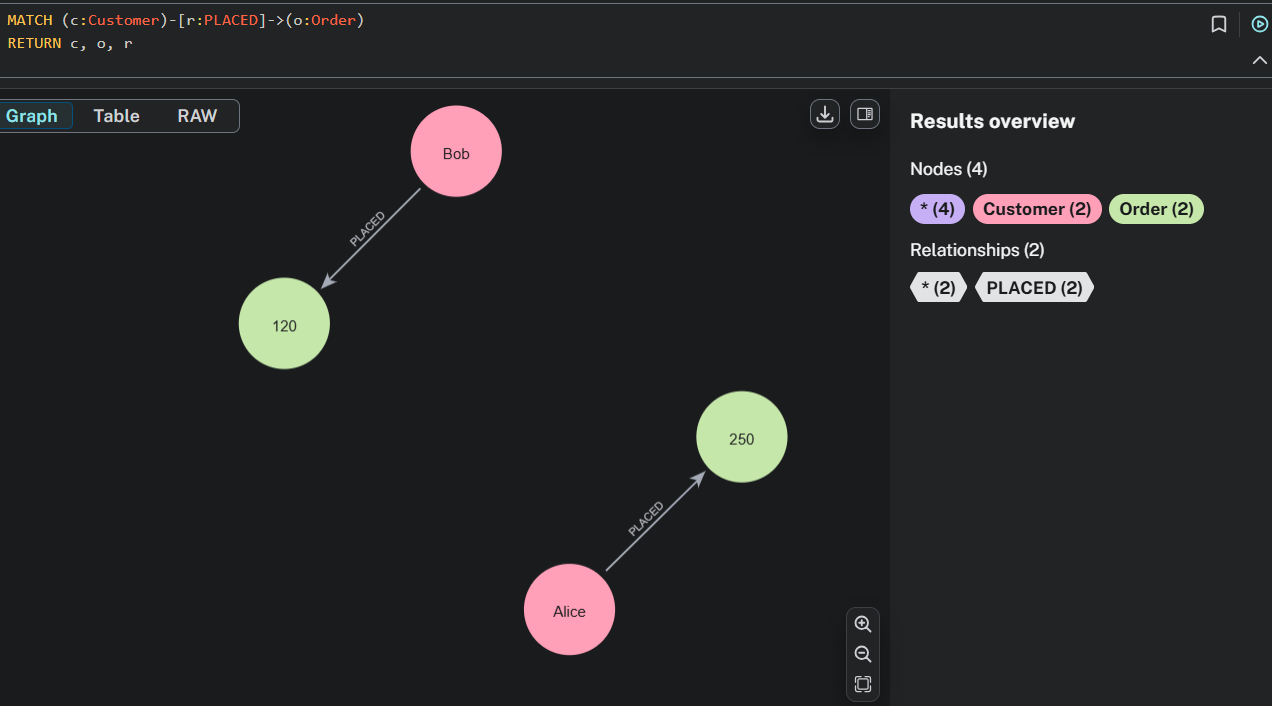
4. Complex JOINs (Traversing Multiple Relationships)
SELECT c.name, p.name
FROM Customer c
JOIN Order o ON c.id = o.customer_id
JOIN OrderProduct op ON o.id = op.order_id
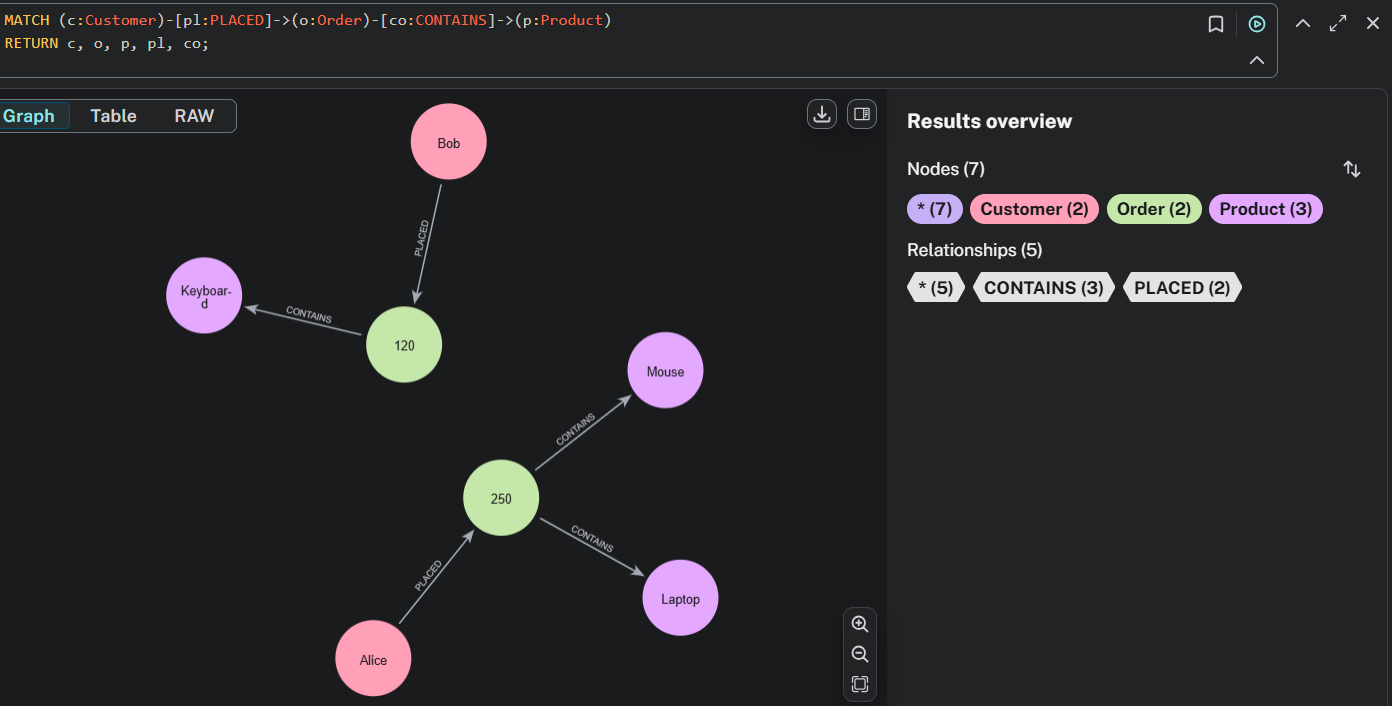
JOIN Product p ON op.product_id = p.id;MATCH (c:Customer)-[:PLACED]->(:Order)-[:CONTAINS]->(p:Product)
RETURN c.name, p.name;SQL expands horizontally.
In Cypher, relationships let you follow connections naturally.
5. Updating Data
UPDATE Customer SET email = 'new@example.com' WHERE name = 'Alice';MATCH (c:Customer {name: 'Alice'})
SET c.email = 'new@example.com';6. Deleting Data
DELETE FROM Customer WHERE name = 'Alice';MATCH (c:Customer {name: 'Alice'})
DETACH DELETE c;7. WITH in Cypher (CTE Equivalent)
WITH CustomerOrders AS (
  SELECT customer_id, COUNT(*) AS orderCount
  FROM Orders
  GROUP BY customer_id
)
SELECT c.name, co.orderCount
FROM Customer c
JOIN CustomerOrders co ON c.id = co.customer_id
WHERE co.orderCount > 5;MATCH (c:Customer)-[:PLACED]->(o:Order)
WITH c, COUNT(o) AS orderCount
WHERE orderCount > 5
RETURN c.name, orderCount;8. Subqueries with CALL {} (Advanced Cypher)
SELECT name
FROM Customer
WHERE id IN (
SELECT customer_id FROM Orders WHERE total > 100
);MATCH (c:Customer)
CALL {
WITH c
MATCH (c)-[:PLACED]->(o:Order)
WHERE o.total > 100
RETURN COUNT(o) AS orderCount
}
WHERE orderCount > 0
RETURN c.name, orderCount;- CALL {} acts like a subquery block
- WITH passes variables into the scope
This combination is widely used in neo4j cypher examples and best practices.
9. Indexing in Neo4j
CREATE INDEX idx_customer_email ON Customer(email);CREATE INDEX customer_email_index IF NOT EXISTS
FOR (c:Customer) ON (c.email);10. Migrating SQL to Neo4j (MySQL, PostgreSQL, and SQL Server).
Currently popular queries include:
- MySQL to Neo4j migration
- PostgreSQL to Neo4j migration
- SQL Server to Neo4j
- Batch Import into Neo4j
- Neo4j ETL Tool
- Import SQL Data into Neo4j
Neo4j provides several tools for migrating SQL data to Neo4j, including:
- Neo4j ETL Tool
- APOC Procedures
- Batch Importer
- Graph Data Science Pipelines
When migrating from a relational database to a graph database, there is a fundamental change in the way that data is modeled. Data is now represented as nodes and relationships, rather than tables. This is referred to as a “Relational-to-Graph Database Migration”.
11. When Do You Need to Use a Graph Instead of an SQL Database?
You should use Neo4j when:
- Fraud detection
- Knowledge graphs
- Recommendation engines
- Complex network analysis
- Identity or account linking
- Supply chain dependency mapping
SQL is great for transactions; Graphs are great for connections.
Need Help Migrating to Neo4j?
Migrating from SQL to Neo4j can be complex. Our expert team at Triveni Global Soft specializes in graph database migration, performance optimization, and custom Neo4j solutions.
Conclusion
From SQL to Neo4j — A New Way of Thinking
If you think in tables, switching to graphs may feel new — but once you understand:
- Nodes = Rows
- Labels = Tables
- Relationships = JOINs
- MATCH = FROM
- RETURN = SELECT
- Cypher = Declarative Query Language
…everything starts to make sense.
Graphs aren’t here to replace SQL databases — they complement them where relationships matter most.
If you’re a SQL developer, Neo4j’s Cypher pattern matching, index-free adjacency, and graph traversal will feel natural very quickly.